Visuals note: Current walkthrough images are product UI mock frames for the Telegram → wallet handoff. Live device screenshots / short clip will replace them once captured from @PasteBuyBot + Phantom. Routing is via Jupiter. See Fees and Security.
Complete flow — from open bot to confirmed swap
This page walks a first-time user through PasteBuy end to end. You paste a Solana mint, review the quote, then sign with your own wallet. PasteBuy never holds your private key.
Related reads: Telegram Solana swap · Non-custodial telegram trading bot · Paste mint address Telegram bot · PasteBuy.
Before you start
Have these ready:
- Telegram installed on phone or desktop
- A Solana wallet you control (Phantom, Solflare, or similar)
- A little SOL for network fees
- The token mint address you want to buy (the long address, not just a ticker name)
1) Open PasteBuy and connect
- Tap Open Telegram on pastebuy.com (or search the bot).
- Press Start in the chat.
- Follow the connect flow so PasteBuy knows which wallet pubkey will sign later.
You are not depositing funds into the bot. Connection is for quoting and building a transaction you will sign yourself.
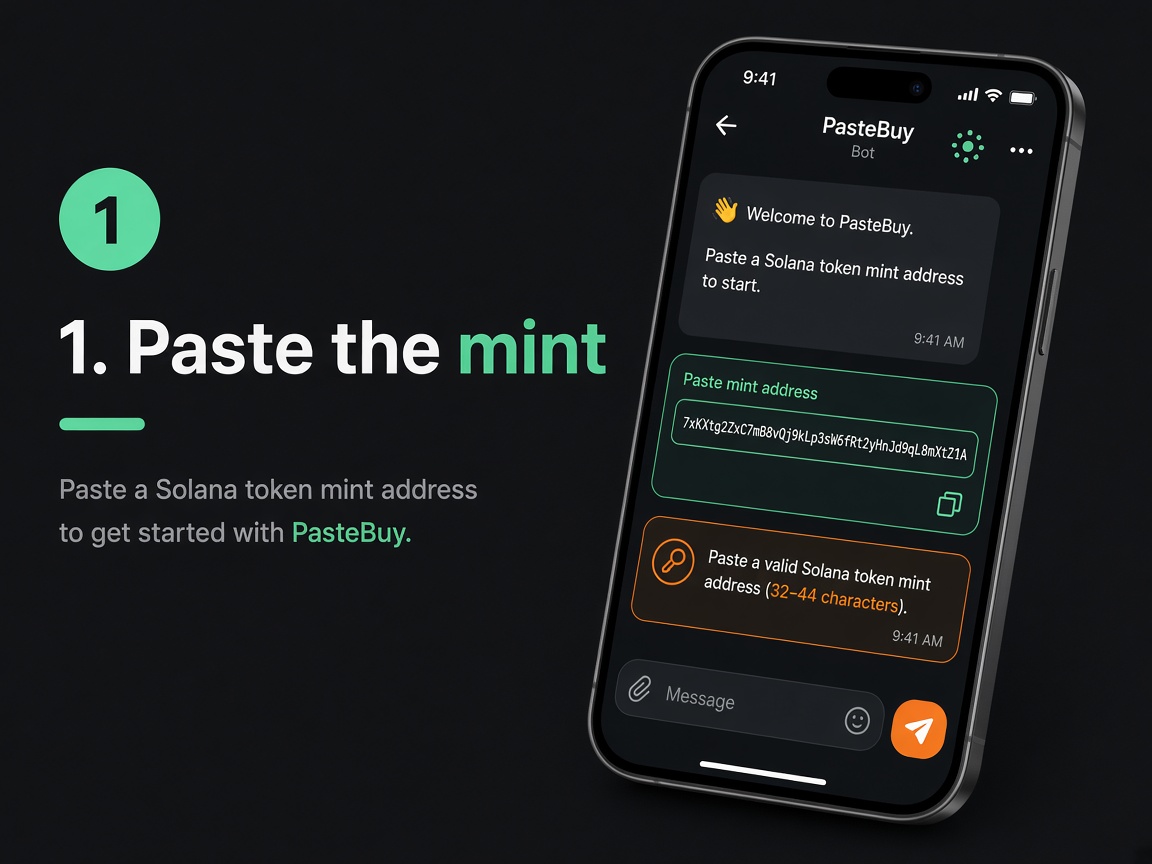
2) Paste the mint
Copy the Solana token mint address and paste it into the bot (for example with /buy or the paste field).
What good looks like
- Long base58 mint string (not a random short ticker)
- Bot replies with a quote loading / quote ready state
3) Review the quote
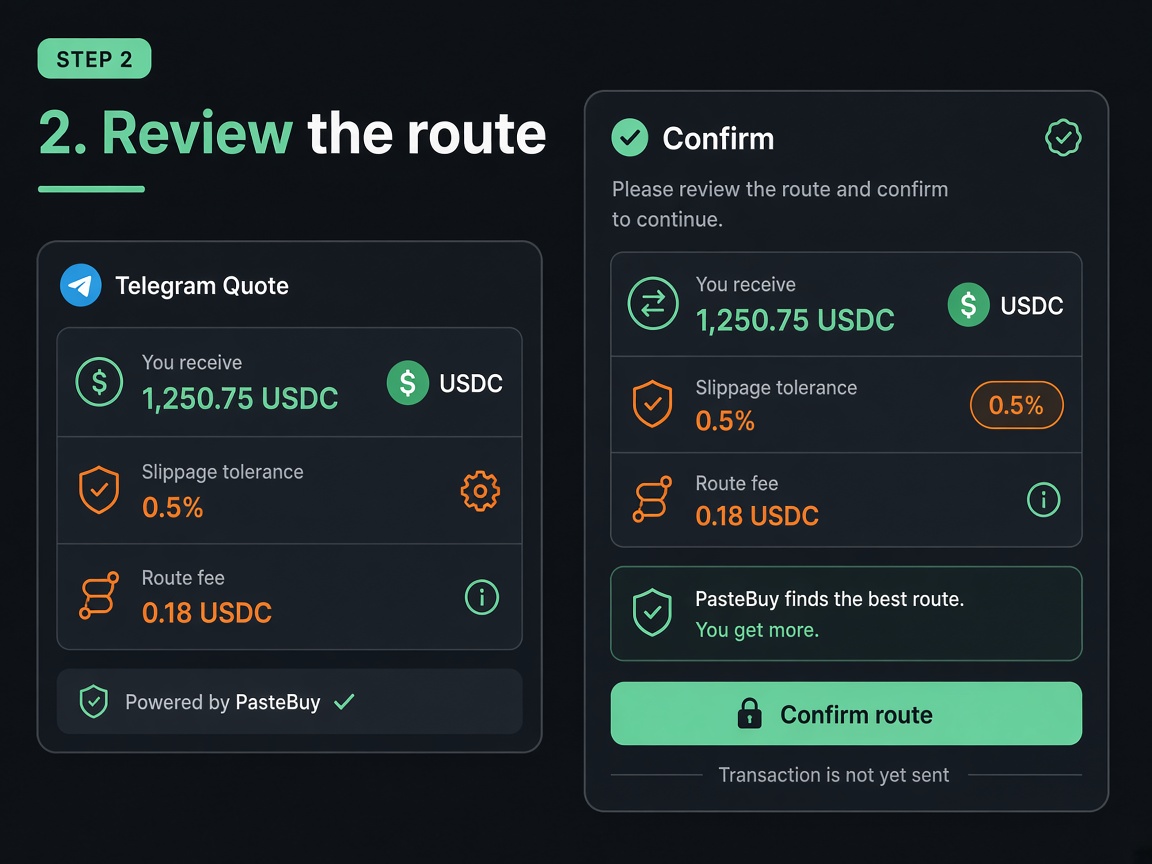
Before you sign anything, read the quote card:
- You pay — input amount / token
- You receive — estimated output
- Slippage — how much price movement you allow
- Fee — PasteBuy fee shown upfront
- Network fee — paid to Solana separately
If numbers look wrong, cancel. Do not sign.
4) Sign in your wallet
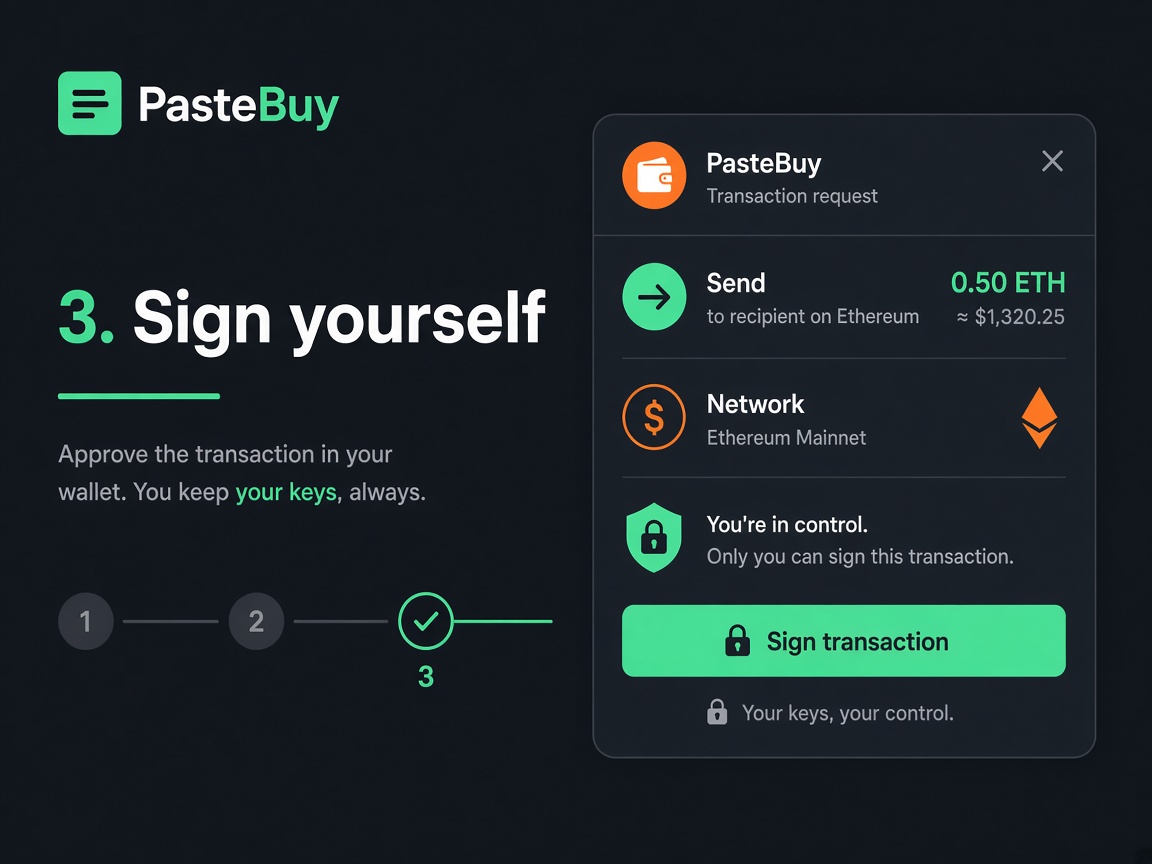
PasteBuy prepares an unsigned transaction. Your wallet opens an approval screen.
- Confirm the destination / amounts match the quote
- Press Sign / Approve only if you agree
- If you close the wallet prompt, nothing is sent
5) Confirm on-chain
After you sign, the transaction is submitted to Solana. The bot should show a confirmed state and a transaction signature / explorer link when available.
- Unsigned tx preparedBot built the swap instructions.
- Waiting for signatureYour wallet must approve.
- SubmittedNetwork is processing the tx.
- ConfirmedSwap landed. Fee was the one shown earlier.
Quick checklist
- □ Opened official PasteBuy Telegram bot
- □ Wallet connected (no seed shared)
- □ Pasted the correct mint address
- □ Reviewed amount, slippage, and fee
- □ Signed only in your own wallet
- □ Saw confirmed status / explorer link
If something fails
Quote never appears
Mint may be invalid, liquidity too thin, or RPC busy. Recheck the address and try again.
Wallet does not open
Unlock the wallet app, allow pop-ups / deep links, then retry the sign step.
Transaction fails after signing
Common causes: slippage too tight, price moved, or not enough SOL for fees. Adjust and retry.
You feel rushed
Do not sign. PasteBuy is designed so you can cancel at the wallet step.
PasteBuy is a non-custodial trading helper. Nothing here is financial advice. Memecoins are highly volatile. Use at your own risk.
About · Privacy · Terms · Complete flow
© PasteBuy · pastebuy.com